 Ember Noise
Stop timers
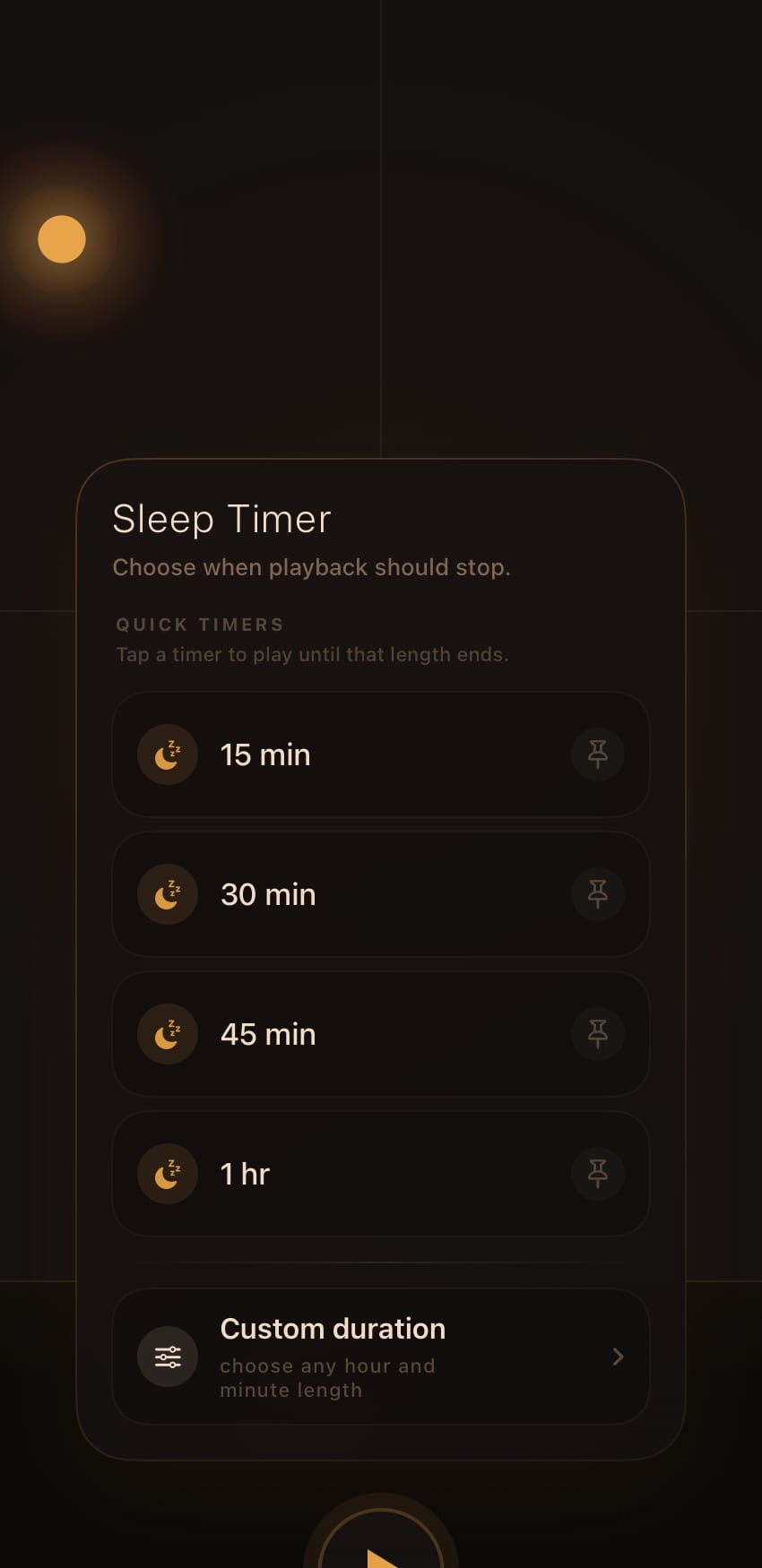
A stop timer ends playback at the time you choose.
Setting a timer
On iPhone or iPad, press and hold Play for 0.45 seconds. On Mac, right-click Play. Choose a quick timer of 15, 30, 45, or 60 minutes, or open Custom duration and enter hours and minutes up to 24 hours. Setting a timer starts playback if needed.
The ring around Play counts down while the timer runs. Opening the timer menu shows the exact remaining time and lets you choose a replacement or cancel it without stopping playback. Pausing manually cancels the timer.
Timer presets
Save a custom duration to keep it in the menu, delete saved lengths you no longer use, and pin one quick or saved duration to the top. Every saved timer length works with every mix.
What happens at zero
When the timer reaches zero, Ember Noise fades the master output over 10 seconds and then pauses. Your preset and ember position remain where you left them.
On the Mac
The Mac app shows stop-timer status in the menu-bar controller, so you can glance at the remaining time or cancel it without reopening the mixer window. See Ember Noise on Mac.