 Ember Noise
Ambient sound mixer for Mac
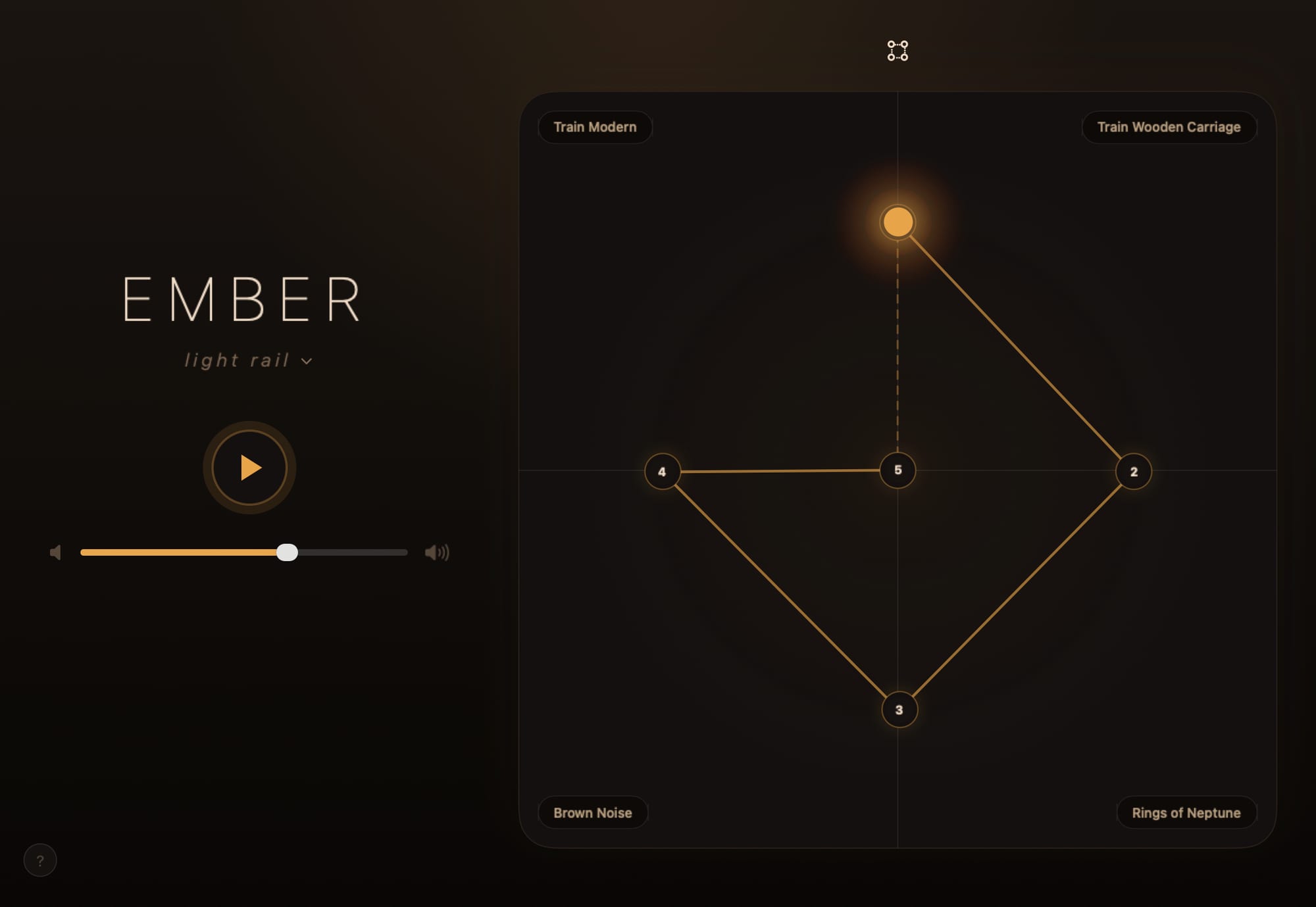
Ember Noise is a native ambient sound mixer and white noise app for Mac, built directly with AppKit and SwiftUI. It presents the landscape iPad interface in a resizable Mac window and runs on the same Swift core as the iPhone and iPad apps.
The menu-bar controller
Closing the mixer window leaves Ember Noise playing in the menu bar. The menu-bar popover gives you:
- Play/pause and master volume.
- Your preset list, one click to switch.
- Stop-timer status at a glance.
- Open Mixer to bring the full window back.
Launch at Login is off by default. The Dock Icon setting has three modes:
- Always keeps Ember Noise in the Dock.
- With Mixer (the default) shows the Dock icon only while a mixer window is open.
- Never launches straight into the menu bar without opening the mixer.
macOS may ask you to approve Launch at Login in Login Items before it becomes active.
System playback controls
The media keys on your keyboard control playback, and the current preset appears in Now Playing. The Mac audio adapter handles output-device changes for the shared engine.
Receiving presets
After you activate Nearby Transfer once, the menu-bar app can receive presets from your iPhone or iPad while the mixer window is closed. See Send to Device.
Command-line tool
The Mac app also ships a bundled embernoise helper. Agents and advanced
users can put it on PATH and run embernoise guide. The install command
lives on the command-line tool page.