 Ember Noise
In release testing for iPhone · iPad · Mac
Shape four ambient sounds with one ember
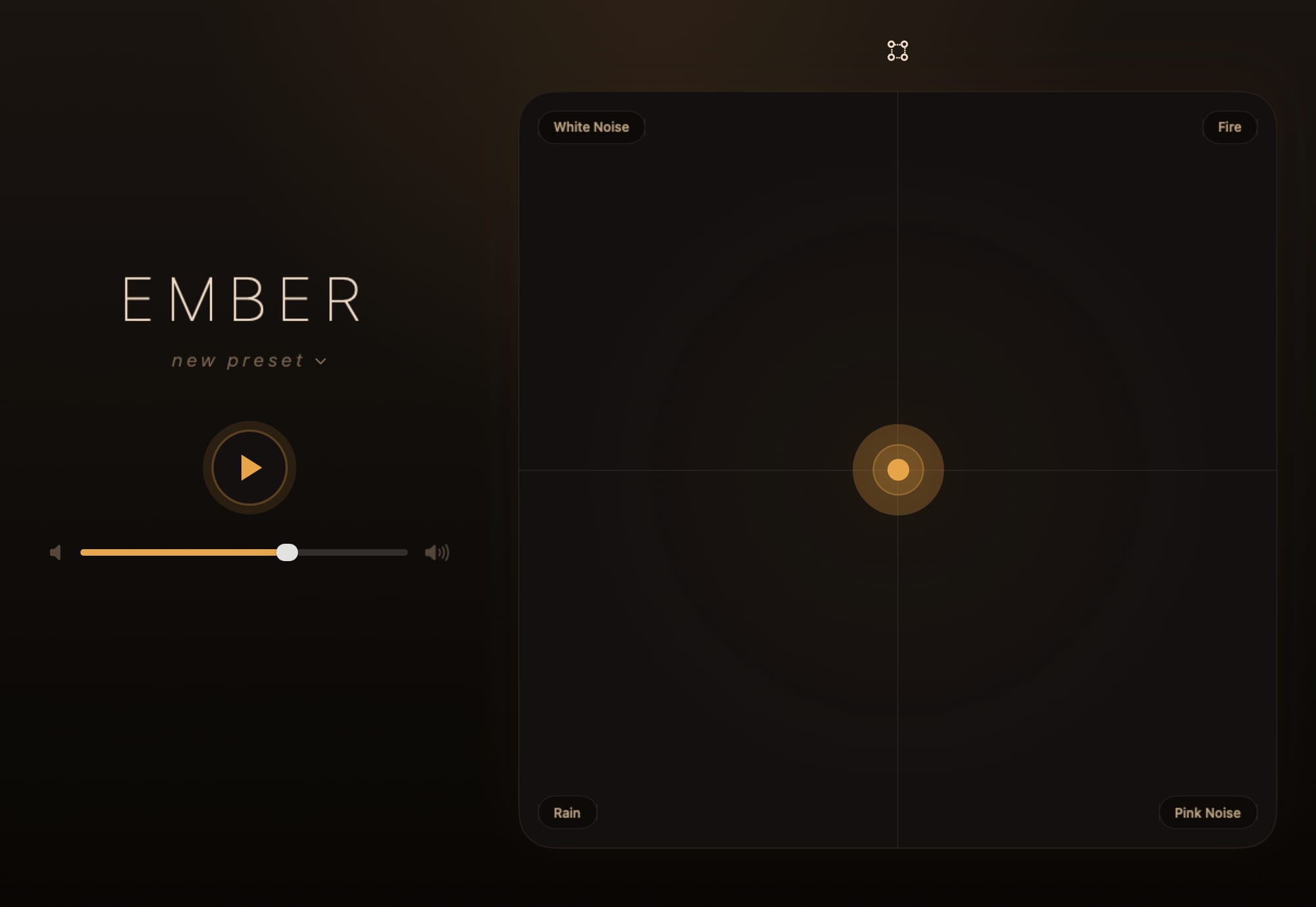
Ember Noise is a native ambient sound mixer. Place four sounds at the corners and drag one glowing point between them to shape noise, weather, water, wildlife, rooms, and travel ambience for sleep, focus, or a quieter room. Playback works without an internet connection.
Free at release. No ads or subscriptions. No account.
Watch the ember move: the closer it gets to a corner, the louder that sound becomes.
A blend space for ambient sound
Ember Noise uses a blend space. Four sounds stay ready at the corners of a matrix, and one drag mixes them continuously by position. The result follows the path of your finger through the sound.
Continuous four-corner mixing
Corner-weighted blending gives you an even four-way mix at the center and a solo at each corner. Moving between them changes every weight continuously.
24 sounds, ready offline
Start with generated noise, rain, water, rooms, travel, wildlife, fire, and wind. Search and favorite the built-in library, then add your own audio when you want it.
Shape every sound
Each sound has a three-band parametric EQ with a live response curve. Solo preview lets you hear the change before saving it with a preset.
12 places to begin
Factory presets combine distinct sounds with tuned positions, while some add per-sound EQ or slow automation and leave room for saved mixes of your own.
Send to Device
Move a preset and its imported sounds straight to another device over the local network with end-to-end encryption and without a cloud service.
Built for long listening
Stop timers fade playback out while automation moves the ember through waypoints. Saved presets keep a favorite mix one tap away.
At home on the Mac
The Mac app presents the landscape mixer in a native window. When you close that window, Ember Noise keeps playing from the menu bar. Choose whether its Dock icon appears always, only with the mixer, or never.
The 2049 pack
Two original sounds. One new preset.
Join Ember Noise updates and get Neon Veil and Night Transit, two original ambient sounds, plus the new 2049 preset that brings them together. The pack arrives after you confirm your email. After that, we will only write with release notes, new platform launches, and store openings.
- Two original sounds for your own mixes
- The new 2049 preset, ready to import
- Release and platform news, sent occasionally
- One-click unsubscribe in every message
Current release status
The iPhone, iPad, and Mac apps are in active release testing. A Linux version is in active development and is not a public distribution yet. Public downloads and store listings are still pending. The feature tour and user guide describe the current builds. The changelog lists what changed in the current TestFlight.